WordPress Basic Series
Learn at your own pace with step‑by‑step tutorials, accessibility guides, municipal workflows, and helpful articles designed for real public agency work. Browse the latest posts below.

A Warm New Chapter for Pastis Enterprises
Pastis Enterprises has a warm new redesign, a simpler hosting system, and a more human-centered approach after retiring WHMCS and moving to a streamlined platform.
Your Domain, Your Control — A Quick Update About Our New System
Your domain is still fully in your control. We’ve upgraded systems, and you now manage your domain settings through our new portal with simple, secure access.
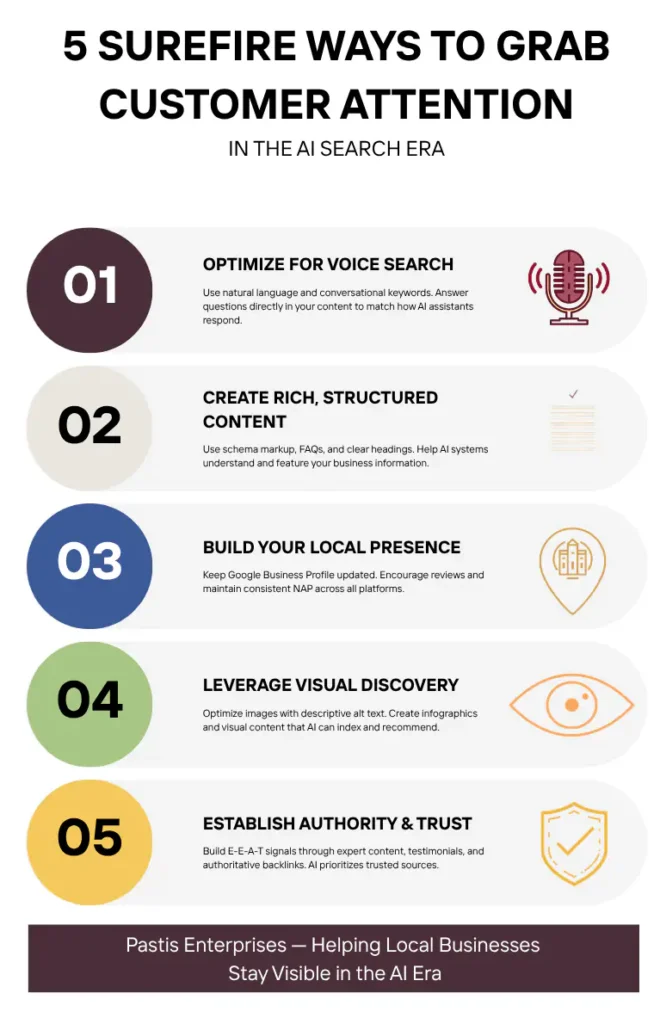
5 Surefire Ways to Grab Your Customers’ Attention in the New AI Search Era
AI search has changed how customers find local businesses. Here are five powerful ways to make sure your business gets cited inside AI generated answers.

The Ancestral Mirror: What Building Websites Taught Me About Lineage, Story, and the Architecture of a Life
The Ancestral Mirror explores the hidden architecture we inherit—and how understanding our lineage helps us build clearer, stronger digital and personal foundations.
Complete Guide to Last Year
A funny year-end recap for Central Valley business owners—tech trends, memes, missed goals, and a fresh start for 2025.
How to Make Your Products Discoverable in the Age of AI Shopping
AI shopping is changing how customers discover products—and your business can show up in the conversation. Learn simple ways to make your online store more visible to AI-powered platforms with clear titles, local signals, and brand storytelling.
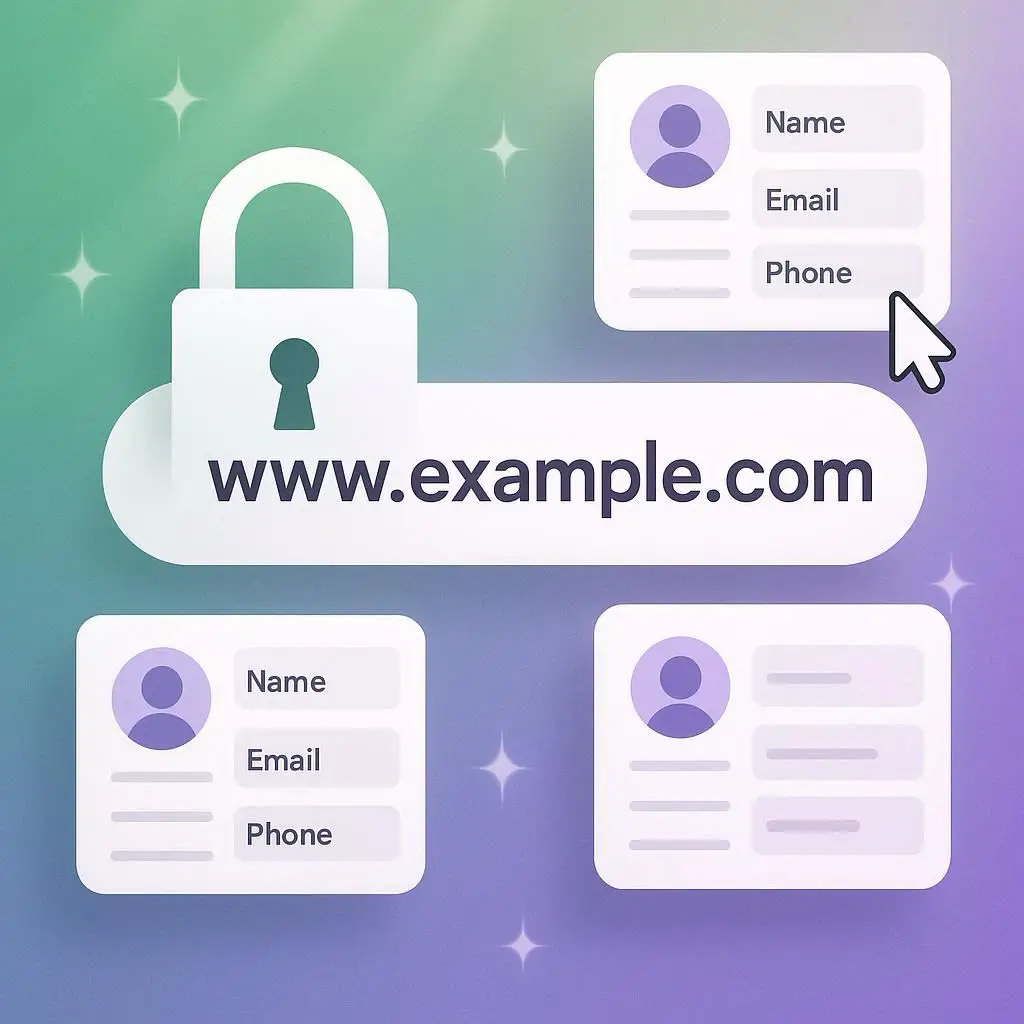
How to Update Domain Contact Info in Your Pastis Enterprises Client Account
Need to update your domain’s contact details? This guide walks you through the exact steps to modify registrant, admin, technical, and billing info through your Pastis Enterprises client account—plus tips for ICANN compliance and verification emails.

Why You Must Hold the Keys to Your Digital Kingdom
Learn why domain ownership is critical for your brand’s survival. Discover how Steve and Wendy Richardson lost their domain—and how you can avoid the same fate. Includes a free downloadable checklist to protect your digital identity.

SEO Management Services
Boost your online presence with Pastis Enterprises’ tailored SEO solutions for small businesses in the Central Valley and beyond.
Full SEO Services Agreement
This SEO Agreement outlines a two-phase approach to enhance the Client’s online presence. Phase 1 focuses on on-page optimization, while Phase 2 emphasizes off-page strategies. Payment of the initial invoice indicates acceptance of all terms and conditions

Welcoming 2025 with Proactivity and Purpose at Pastis Enterprises!
Let’s become Super Business owners with 5 tips to become proactive in 2025. Happy New Year.

31 Fun and Engaging Blog Post Ideas for October
October 1: Welcome October!-Kick off the month with a warm welcome post. Share your excitement for the new month and outline any special plans or promotions your business has in store. Encourage your followers to share their own October goals in the comments. October 2: Fall Favorites-Create a post highlighting your favorite fall products or […]

Welcome September
Kick off September with a fresh perspective on your website! Discover daily tips from Pastis Enterprises to improve your brand, add engaging content, increase sales, and more. Let’s make this month your most successful yet!

Client Success Story: The Case of Too Many Friends!
Do you have too many Friends on Facebook? Here’s an easy 4-step solution.

31 Daily Tips to Enhance Your Website This August
Kickstart your August with our comprehensive guide featuring a daily tip to enhance your website. These 31 tips will help you maintain a high-performing, secure, and user-friendly site.

30 Days of Marketing Ideas for Small Businesses in Tulare County
Boost your small business in Tulare County this June with our daily marketing ideas! Engage your community, attract new customers, and grow your brand with these 30 creative and practical strategies.

31 Days of Marketing Magic: May Your Business Bloom!
Unleash the power of marketing this May with 31 innovative and fun marketing ideas designed for small business websites. Boost your online presence, engage customers, and grow your brand with our daily strategies!

Free Tools You Can Use to Make Your Website Accessible
Discover the best tools to evaluate and enhance your website’s accessibility. Ensure ADA and WCAG compliance with our comprehensive guide to accessibility checkers, including accessScan by accessiBe, WAVE, and Lighthouse

You Can Have ADA-Compliant Images on Your Website
Discover the significance of ADA-compliant images for your website and learn simple steps to ensure accessibility for all users. Enhance your online presence with Pastis Enterprises Website Design.

Update Your WordPress Site with Tawk.to Live Chat for Enhanced Customer Engagement
Elevate your WordPress website’s user experience with the latest Tawk.to Live Chat integration. Follow our updated 2024 guide for a seamless installation and setup process.
Unlocking Website Accessibility: A Review of Equalize Digital’s Accessibility Checker
Discover how the Accessibility Checker WordPress plugin by Equalize Digital can help make your website ADA compliant, enhance user experience, and ensure inclusivity for all visitors.

Hump Day Delight: Boost Your Business with Pastis Enterprises Web Design
🌟 Happy Hump Day! 🌟 Are you feeling the midweek slump? Don’t worry, because we’ve got just the thing to lift your spirits! As your friendly neighborhood website design company, we’re here to make your Wednesdays a little brighter. 🎉 Why Web Design Matters for Small Businesses Small businesses are the heart and soul of […]
ADA Website Compliance Checklist
Ensure your website is accessible to everyone with Pastis Enterprises. Our web design services adhere to WCAG 2.1 Level AA guidelines, providing a seamless experience for all users.
Winning Wednesdays: Midweek Marketing Magic for Small Businesses
Unleash the power of hump day with our whimsical yet wise Wednesday marketing strategies designed to boost your small business’s presence and charm your customers!

Wanderlust Wednesday: Unleashing Your Midweek Adventure Mojo!
Do you feel the urge for adventure on Wednesdays, longing to escape the office for exotic locales? To cope, create virtual escapes, decorate your desk, and embark on local adventures. Embrace this wanderlust with midweek escapades. Pastis Enterprises offers web hosting with a special Wanderlust discount.

Reviving the Past: How We Brought an Old Email Newsletter Back to Life
Pastis Enterprises rejuvenated a client’s defunct email newsletter, targeting 2688 subscribers, achieving a 9.56% open rate and a 1.3% click-through rate. Despite mixed results, the effort underlined email marketing’s value in direct communication and higher conversions compared to social media.

10 Fun April Fool’s Day Marketing Ideas for Small Businesses
Showcase your brand’s playful side with these fun April Fool’s Day pranks for your website. Pastis Enterprises promises to enhance your business through exceptional web and marketing services.

How to Link Facebook and TikTok
To link your TikTok account with Facebook Page, follow these steps: To link your TikTok account with Facebook Profile*, follow these steps: Now your TikTok account is linked to your Facebook profile! This can help promote your TikTok content to your Facebook friends and followers. 🎵📱🔗

From Zero to TikTok Hero: The Thrilling Journey of Building Your Presence
The post offers a guide for expanding your TikTok presence, detailing strategies. For more in-depth advice, several resource videos are recommended.

Resizing videos for TikTok
To prepare videos for TikTok, resize them to a 9:16 aspect ratio using tools like Kapwing, VEED.IO, Adobe Express, Movavi, Final Cut Pro X, or iMovie. These services allow cropping, rotating, and editing to fit TikTok’s format.