This demo assumes you’ve already logged in to cPanel, and are starting on the home screen. Click the Directory Privacy icon. Now let’s learn how to password protect a directory. Select the directory you want to password protect by clicking its name. Check...
Category
April Heath Pastis
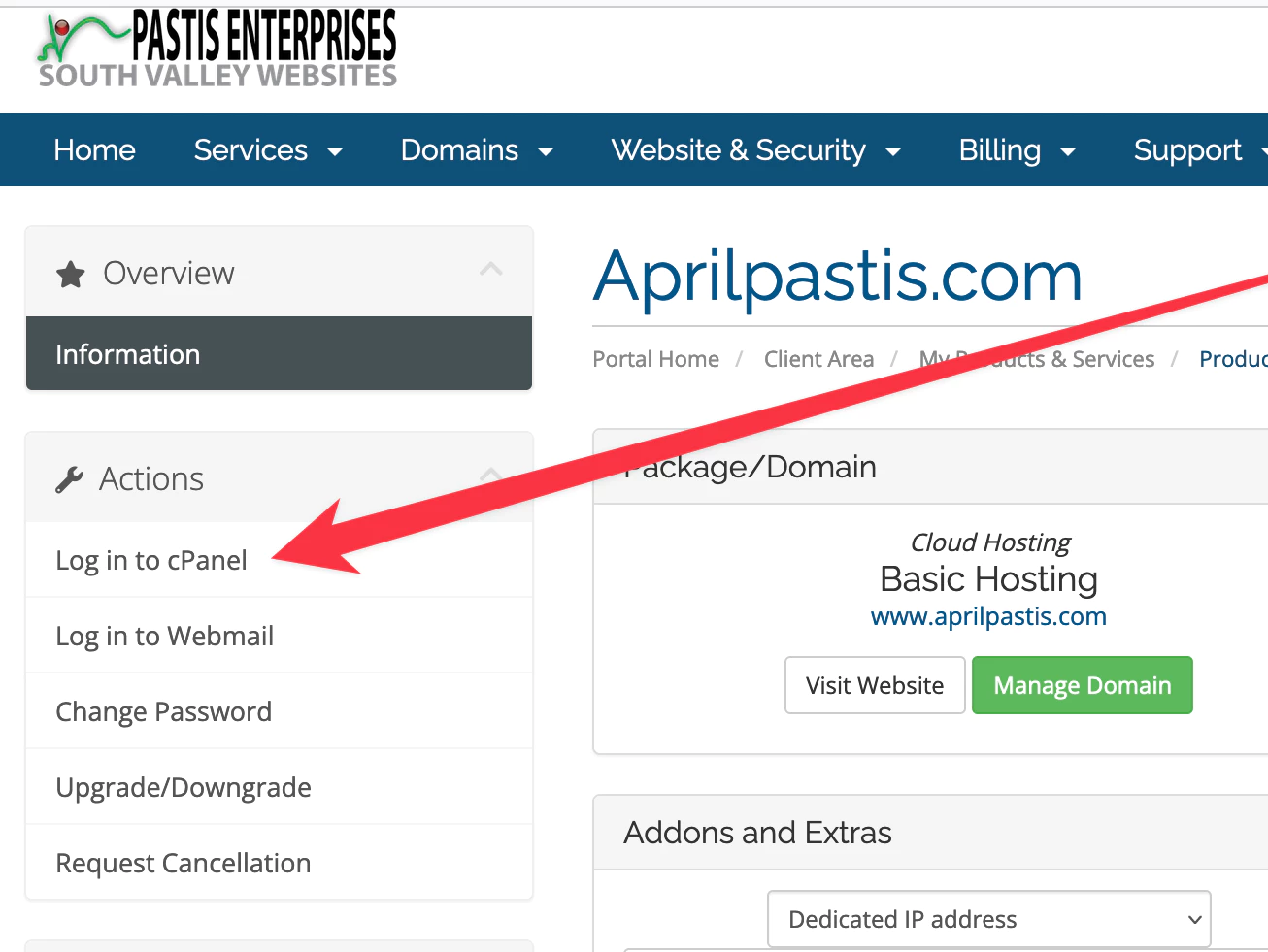
How to login to cPanel
The cPanel helps you manage email addresses, install WordPress, upload files, manage backups, and much more.
How to enable spam protection in cPanel
This demo assumes you’ve already logged in to cPanel, and are starting on the home screen. Now let’s learn how to enable spam protection. First click the BoxTrapper icon. Box Trapper protects your inbox from spam by requiring all email sendors who...
How to create an email account in cPanel
This demo assumes you’ve already logged in to cPanel, and are starting on the home screen. Now let’s create a new email account. Click the Email Accounts icon. Enter the email address you want to create, and assign it a password. Set a mailbox quota for...
How to create custom error pages in cPanel
This demo assumes you’ve already logged in to cPanel, and are starting on the home screen. Now let’s learn how to create custom error pages. Click the Error Pages icon. This is where you create your custom error page… and you can include one or more...
How to setup a cron job in cPanel
This demo assumes you’ve already logged in to cPanel, and are starting on the home screen. Now let’s learn how to setup a cron job. Click the Cron Jobs icon. Enter the email address where you want the cron job results sent after each time it runs. Now you...