
It's easy for our existing customer's to place an order from within the Pastis Enterprises Client Area.
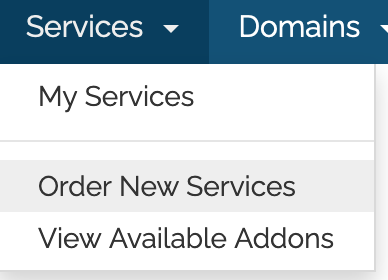
Login to the Client Area. On the left, is the Shortcuts block. If you want to add any other service such as hosting, Sitelock, Weebly, etc. click on Order New Services. However, if you want to purchase a new domain, Click Register a New Domain.
Order Services
You may also add other services from within the Client Area including cloud hosting, digital services, Website Builder or Site Builder, Website Security, or SEO.
To add any of these services go to Services >> Order new services.
Select a new hosting account if that is what you want to order. If not, click the Show Menu icon to expand the choices.

A block of optional services will open on the left. Select the service you want to add.
Available Services include:
- Digital Services
- Website Builder
- Site Builder
- Website Security
- SEO Tools
- Product Addons
Digital Services include packages that offer Website Maintenance, Website design, eCommerce Website Design and Setup, and Non-profit Website Setup.
Website Builder and Site Builder are two types of drag and drop websites for the person who wants an easy to use alternative to website design.
Website Security is handled through Sitelock. SiteLock™, the global leader in website security, protects your website to give you peace of mind. In the event that your website has already been hacked, you can fix it now with SiteLock's emergency response. Find out more within Website Security.
SEO Tools: The final area of Website and Security helps improve your website traffic with MarketGoo. A subscription includes search engine submission, Google analytics connection, SEO report, competitor tracking, keyword tracking and optimization and progress reports. Marketgoo makes the complecated world of SEO simple.
How to Register a New Domain
To Access this area from the menu, go to Domains > Register a New Domain.
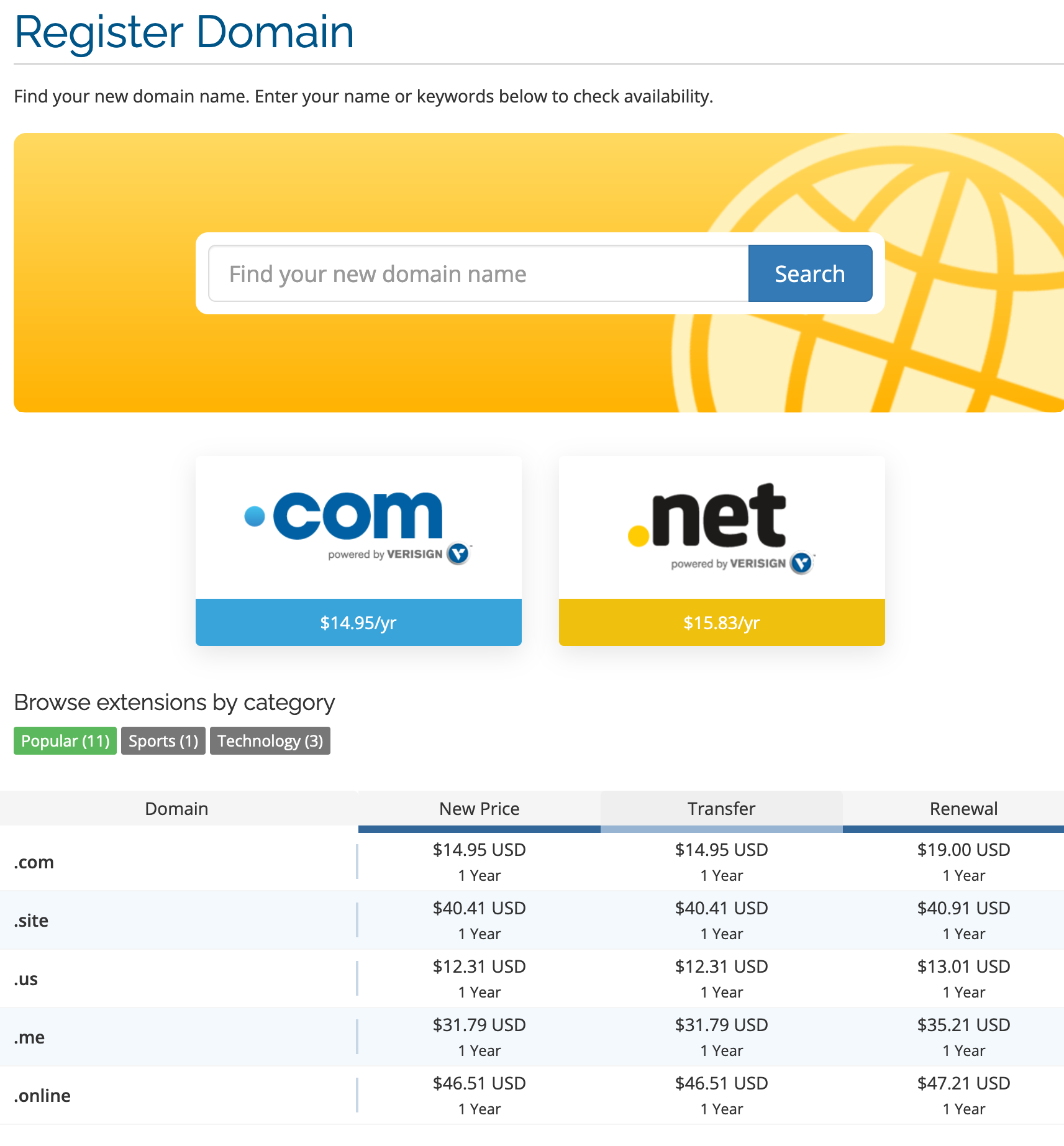
Using the search box, input a new domain name to check its availability.
Select the TLD (.com, .net, etc) from the dropdown list. If it is available, you will see an Add to Cart button. If it is not available, several suggested names or different TLDs will appear.
After you select the Add to Cart button, it switches to a Check Out button. Click to continue configuring the domain purchase.
Domain options include DNS Management, ID Protection (privacy), and email forwarding.
If you want to use custom nameservers enter them, or you can use our nameservers if we are hosting the new domain on our network.
Click Continue
Review your cart. To get a price break, you can extend the registration period from the default one year to two or three years.
If you have a discount code with us, enter the promotional code in the Apply Promo Code box and click Validate Code.
Click the checkout button.
The Payment Information page will appear. Leave Your Account name selected, unless you want to create a new account. Fill in the Payment Details by selecting either PayPal or Stripe (for Credit Card entries).You can also enter any additional comments or information you want included in your order.
Click Complete Order.
Now, you will be redirected to the Payment Gateway. Pay your invoice and complete the order process.
You will receive immediate confirmation on the page and an email will be sent to you.
