
The first page, or Dashboard, of the Client Area is designed cleanly so you can get to the job at hand quickly.
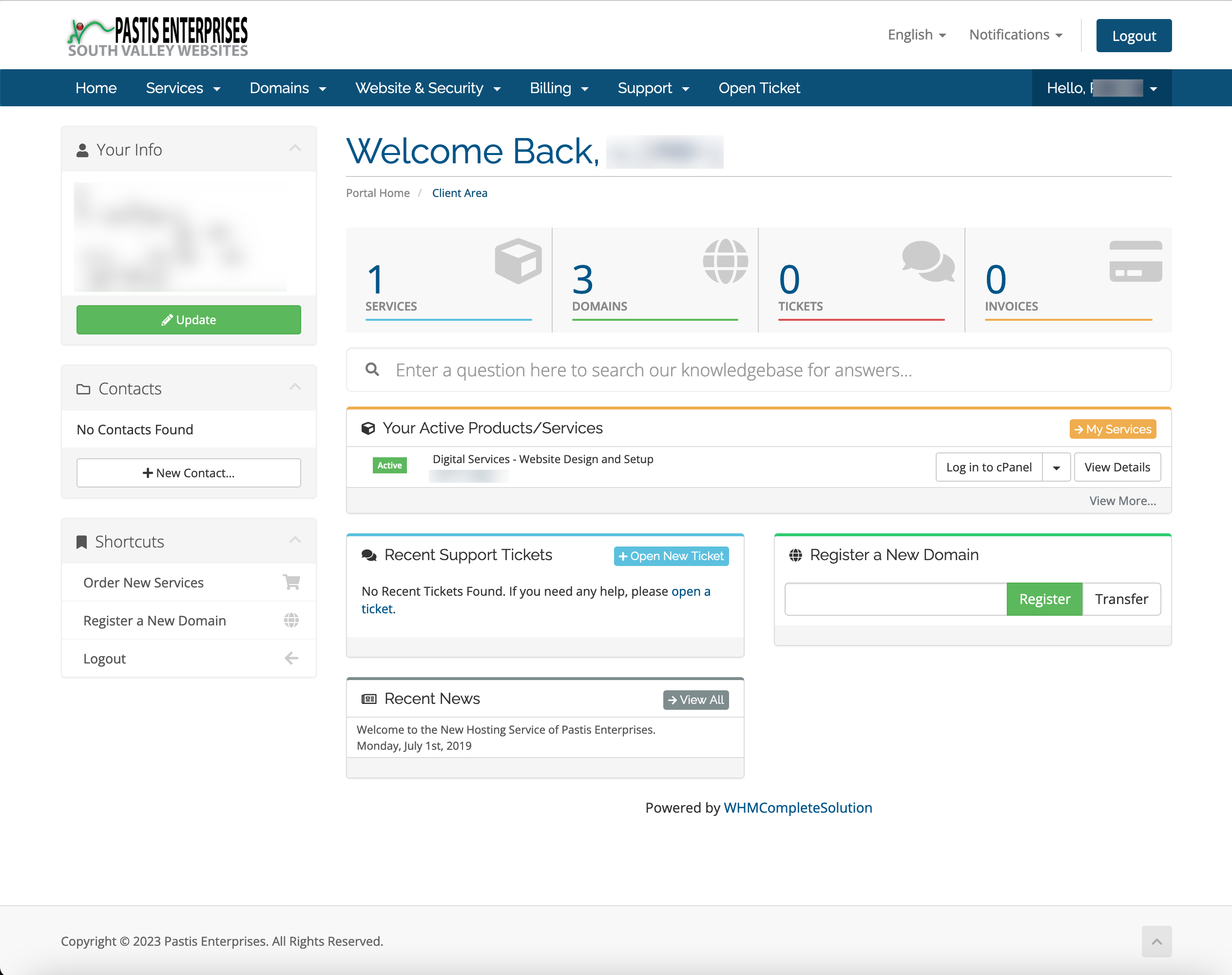
Front and Center are four icons. When clicked they will take you directly to the area.
Services: takes you to your hosting plans;
Domains: accesses the domains you have registered with us
Tickets: takes you to any past or present tickets you have opened.
Invoices: takes you directly to current invoices or allows you to view your payment history.
Your Active Products and Services
Below the icons you are shown your current hosting plan or service with a shortcut to log into the cPanel or view more about your hosting plan.

Recent Support Tickets
If you've opened a support ticket, you will see it in this box. You can also click the +Open New Ticket button to reach out to our support staff
Register a New Domain
In this area you can input a new domain name to order a domain or add a domain that you have registered elsewhere to transfer the domain to Pastis Enterprises.
Recent News
In this block you can see the latest announcements from Pastis Enterprises.
Along the left are blocks that show Account information, Contacts, and Shortcuts
Info
The Info block shows a synopsis of your account details
Contacts
Quickly add a new person to help you manage your account. You can create a user account for an employee or assistant to manage areas of your hosting plan.
Shortcuts
In this block you will find quick links to Order New Services, Register a New Domain, or log out.
Top Menu
The Top Menu can be viewed throughout the Client Area.

The Menu items are Home, Services, Domains, Website & Security, Billing, Support, Open a Ticket and Account. The knowledgebase has descriptions of each of these menu items.
